Compass · 2020–2022
Business Tracker
A centralized, workflow-centric workspace that brought Compass's CRM, listings, deals, and marketing tools into one place for real estate agents running their business day to day.
Designed Business Tracker, a centralized workspace that replaced spreadsheets and whiteboards with a single, workflow-centric product for managing buyers and listings.
Led design across two squads, Pipeline and Folder, and managed two designers, within Compass's broader design organization, which ran other parallel product squads (CRM, Insights, a marketing tool for agents) at the same time.
32% of agents adopted Business Tracker in its first week, with usage climbing 37% week-over-week after launch.
Client folder adoption doubled year over year, with a median user satisfaction score of 4.3 out of 5.
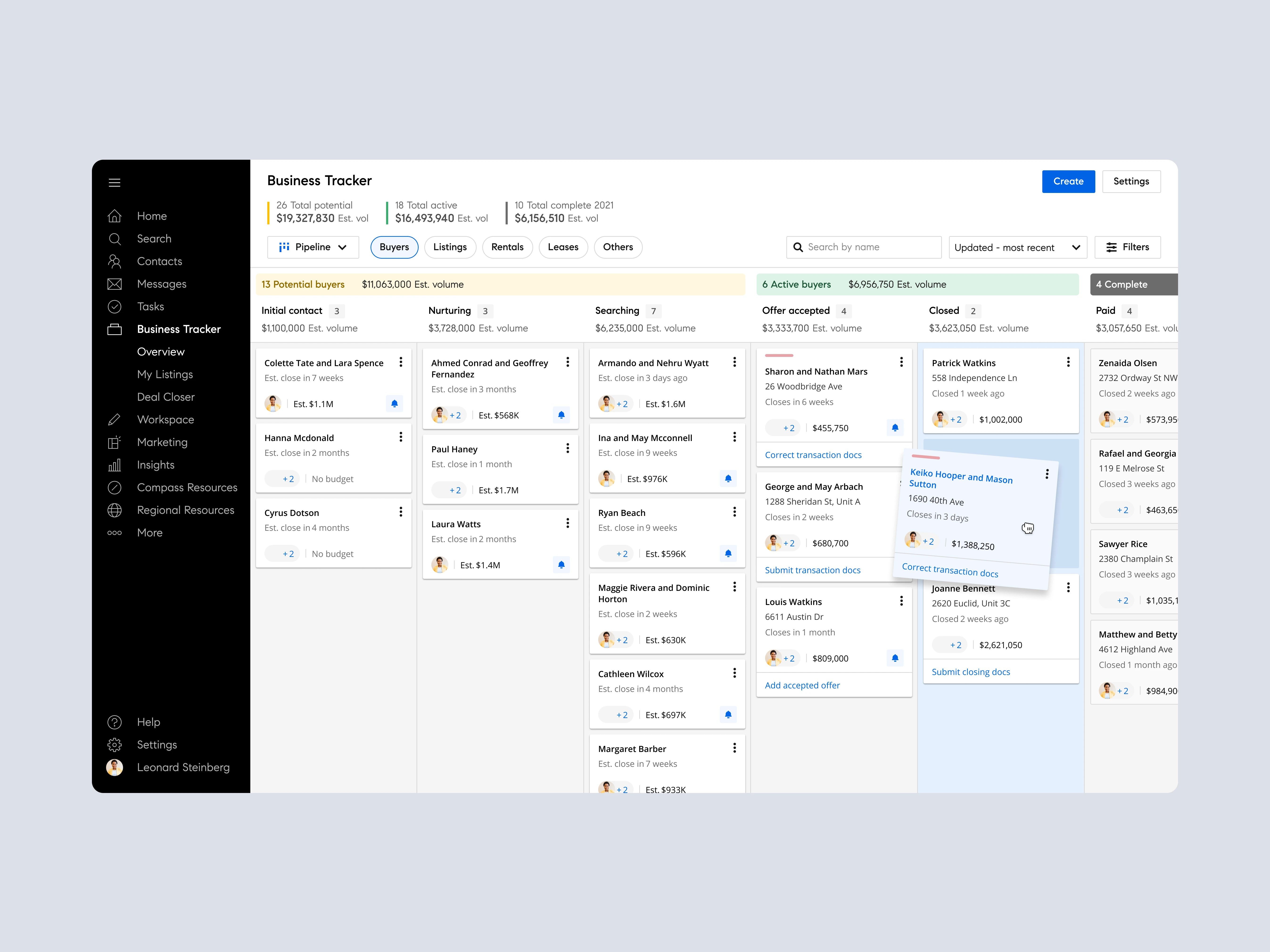
Business Tracker's pipeline view: every buyer and listing organized by stage, with estimated volume rolled up at each level.
Context
Compass's platform was fragmented. CRM, listings, deals, and marketing tools each lived in their own corner of the product, built and shipped as separate efforts over time. Agents filled the gaps between them with spreadsheets and whiteboards, tracking the actual state of their business outside any Compass tool.
The opportunity was to stop treating those tools as separate products and build something workflow-centric instead: a single, centralized workspace organized around how agents actually move a deal from lead to close.
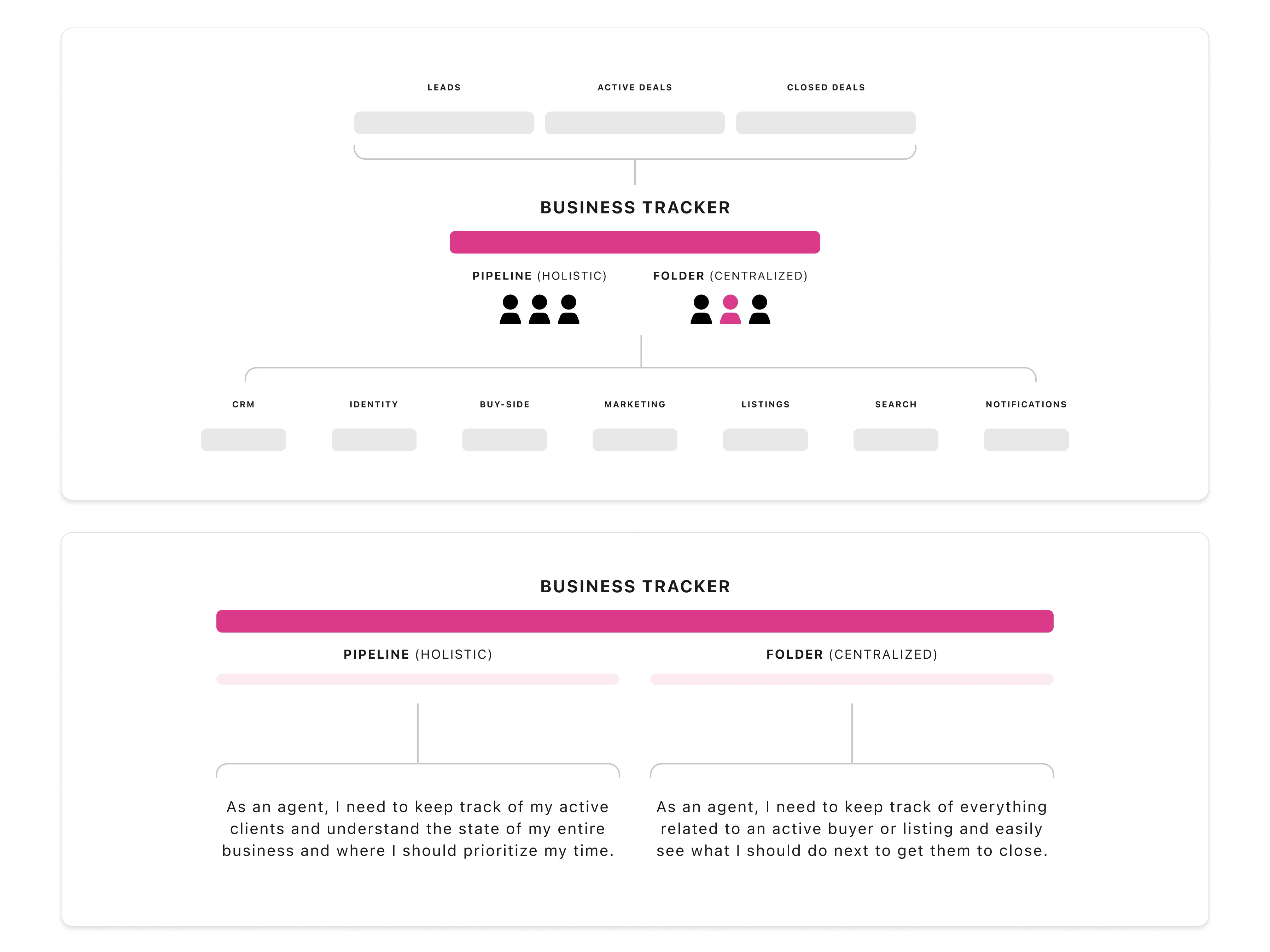
How Business Tracker sat across Compass's existing tools: two entry points, Pipeline and Folder, spanning CRM, marketing, listings, and search.
Understanding how agents worked
Before designing a single screen, the team mapped the actual buy-side and sell-side workflows agents were running, task by task, from winning a client through post-close. Each stage, prepare the listing, market it, manage offers, close, had its own dense checklist of real work that existing tools didn't account for.
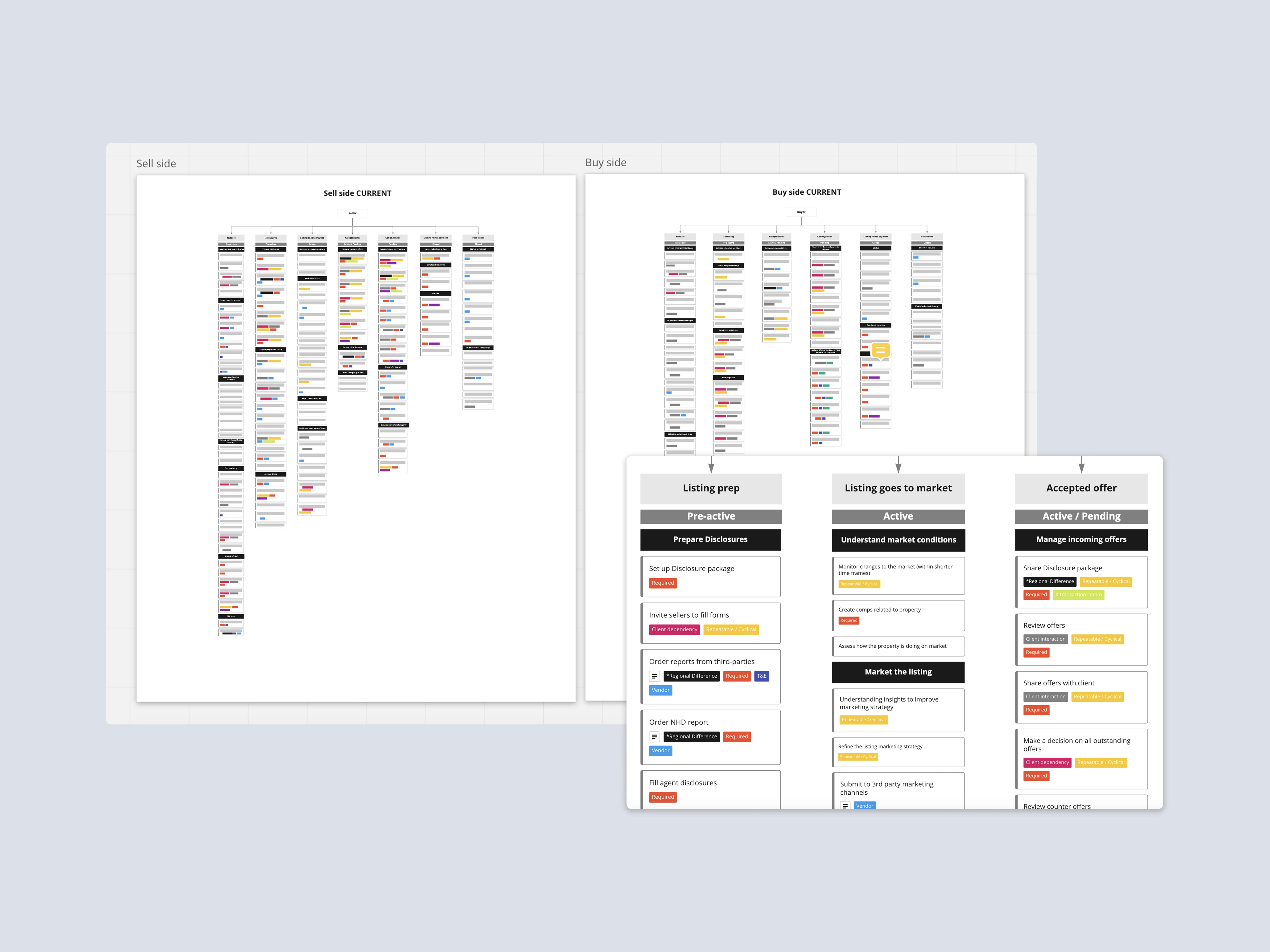
Buy-side and sell-side workflows mapped stage by stage, surfacing the granular tasks agents actually do at each point in a deal.
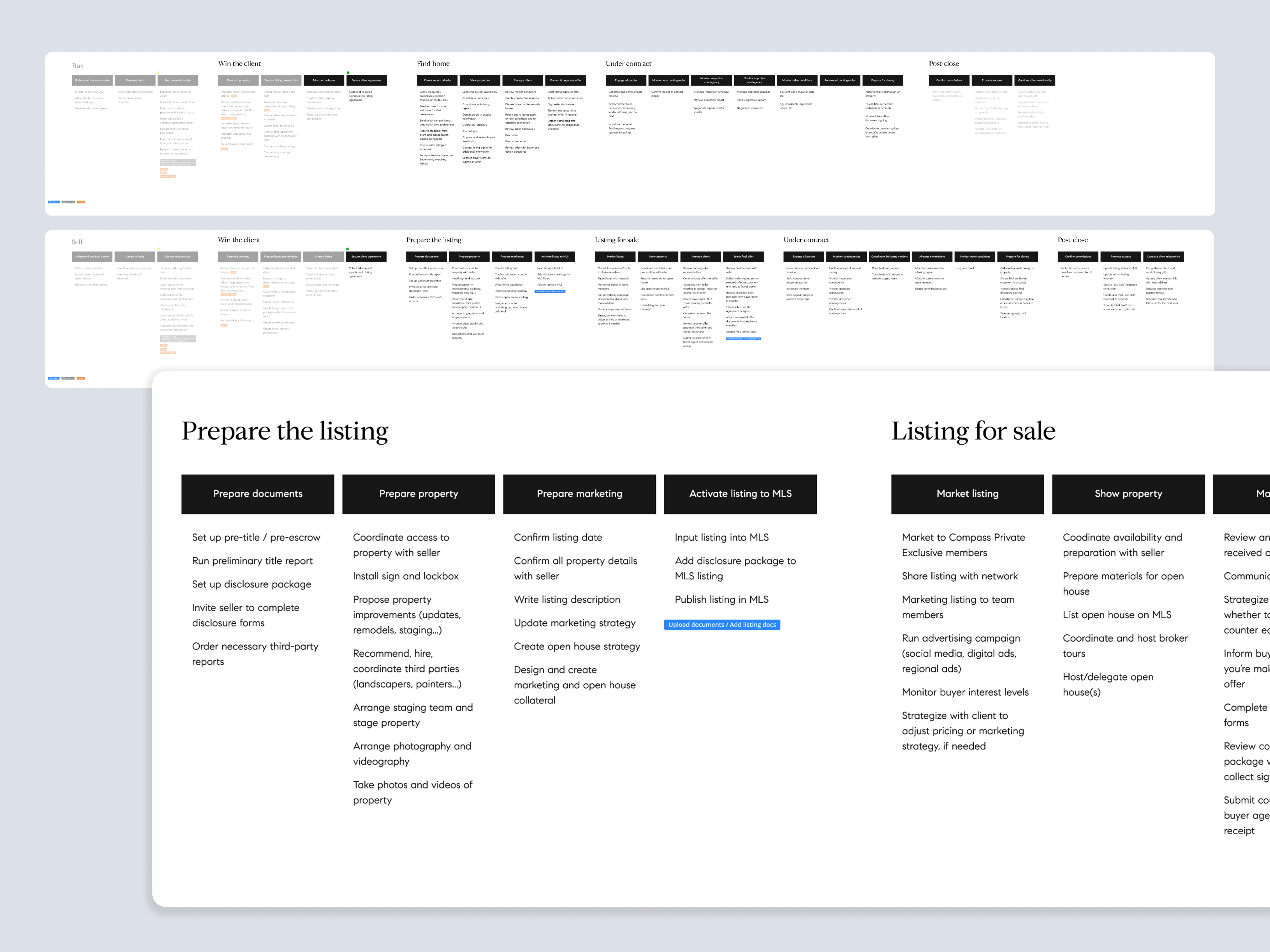
Zooming into two stages, prepare the listing and listing for sale, to see exactly what a listing agent needs to do and in what order.
That level of detail mattered. Agent feedback made clear that the product needed to connect the dots between tools, not just centralize them:
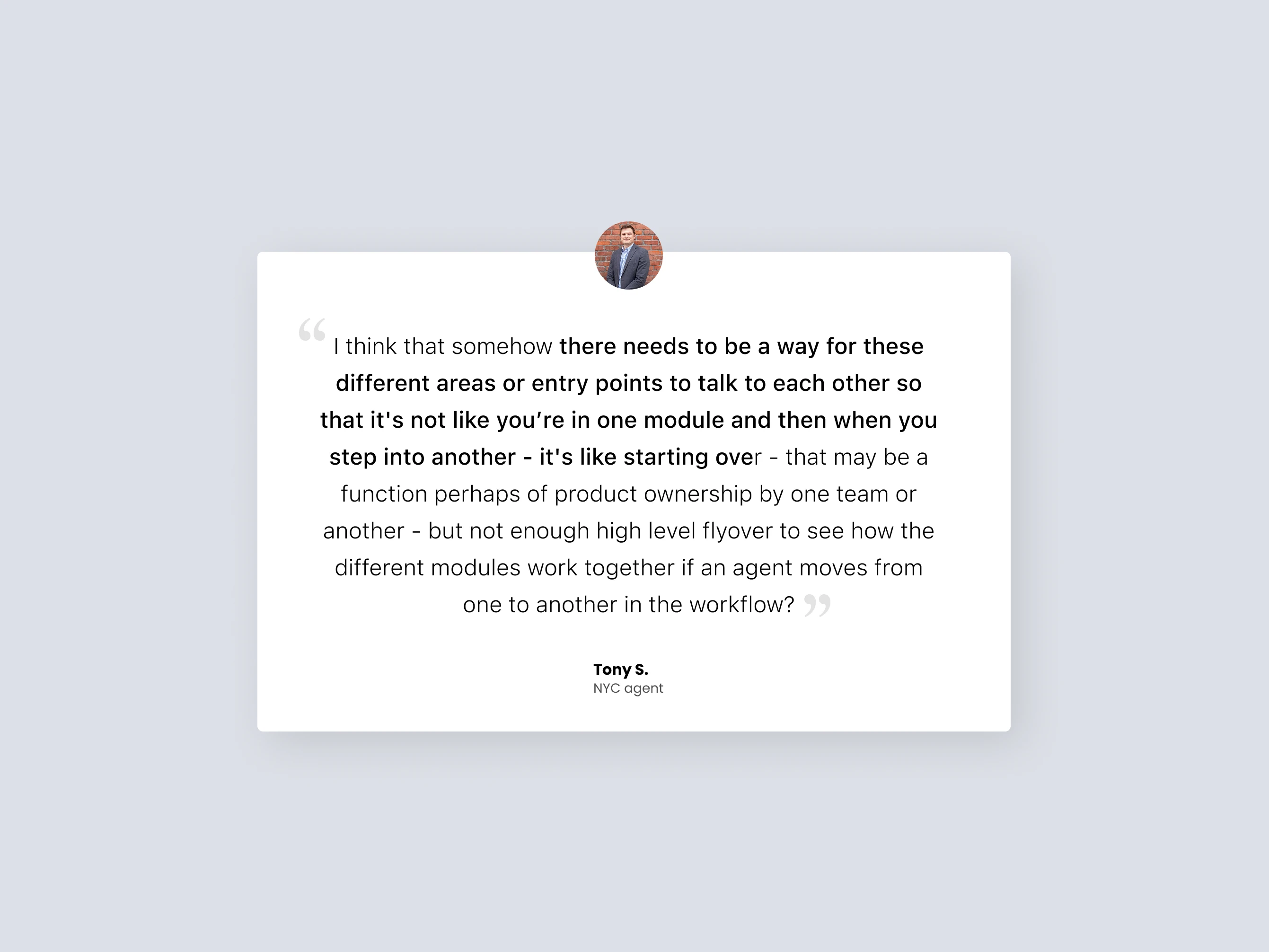
Feedback from an NYC agent during research, echoed across multiple conversations: moving between modules shouldn't feel like starting over.
That feedback resolved into three concrete needs that shaped everything downstream: agents needed something holistic, a way to understand the state of their entire business and where to prioritize their time; something workflow-based, a way to track everything tied to an active buyer or listing and see what to do next to close it; and something centralized, a single place to collaborate with clients, team members, and everyone else involved in a transaction. Pipeline answered the first need. Folder answered the second and third.
The team synthesized research across four questions, the business problem, the target agent segments, what success would look like, and the benefits agents would actually feel, working through it together as an affinity exercise rather than a single designer's read on the data.
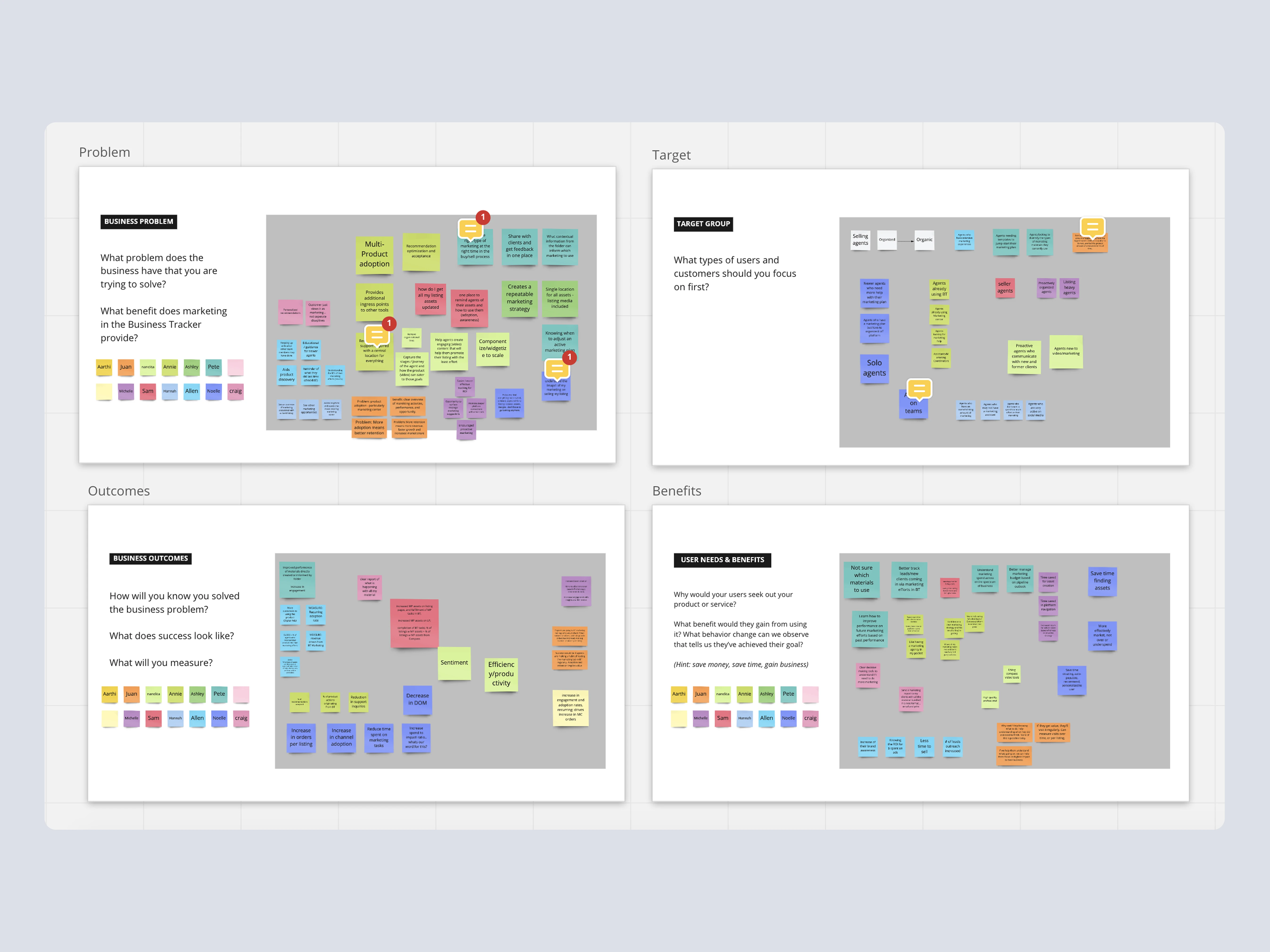
Research synthesis across problem, target segment, outcomes, and benefits, worked through with the broader team.
Discovery combined a competitive scan of other real estate tools and deal management systems with direct sessions with agents, sales managers, and internal users. One pattern held across all of it: the high-level stages of a real estate transaction are universal, even though the specific tasks inside each stage vary by team size, agent experience, and market.
That distinction shaped the design approach for the Folder: a modular snapshot view surfaced the information agents needed most at a glance, while still letting them drill into the specific tasks underneath when something needed attention. It's a common pattern in deal management tools, and it gave agents a consistent way to scan a client relationship quickly without losing access to the detail.
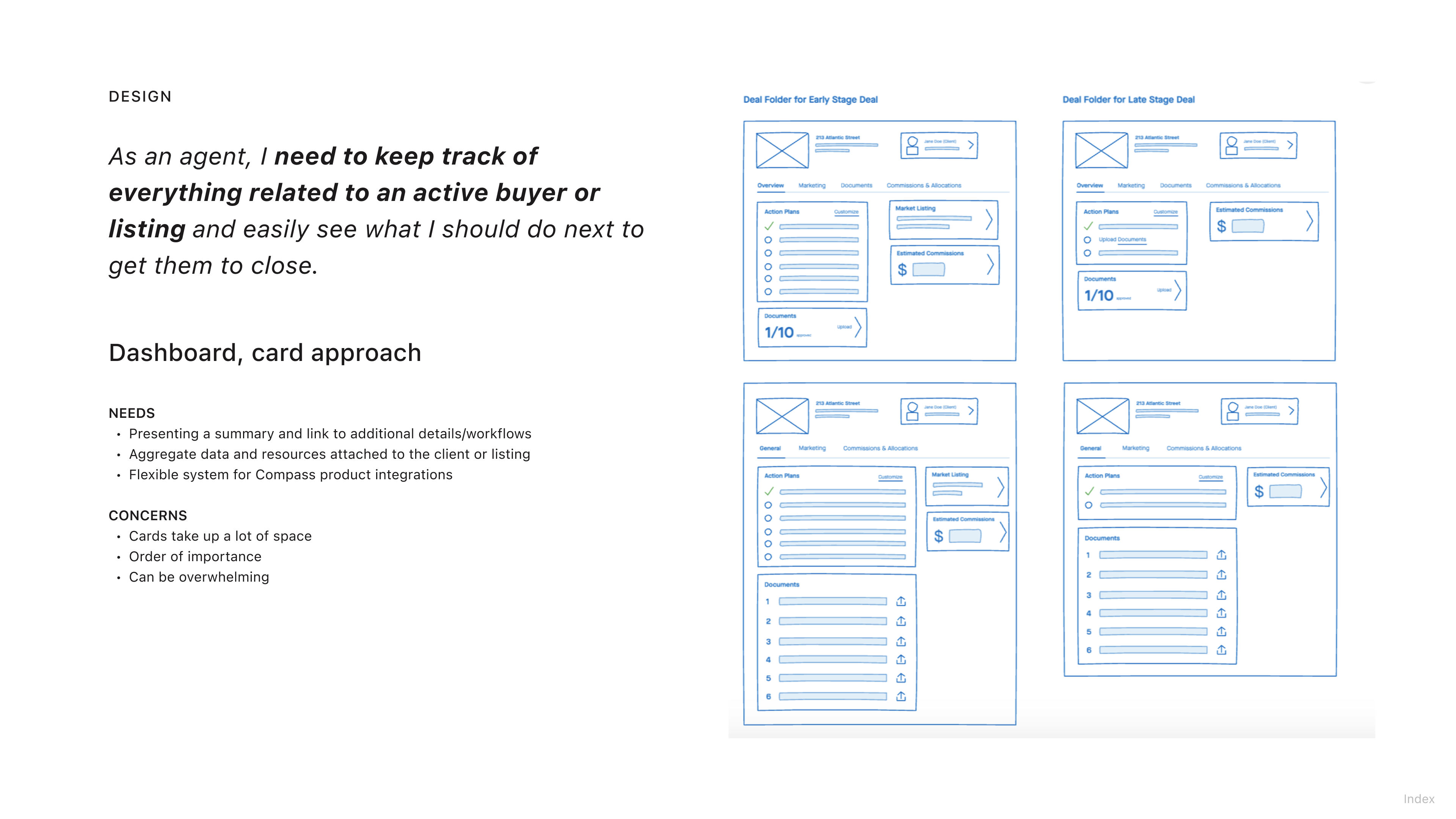
Early wireframes for the Folder's card-based approach. The tradeoff was named directly during design: cards took up a lot of space and could feel overwhelming, weighed against the value of a flexible system that could plug into different Compass products.
My Role
I led design across two squads, Pipeline and Folder, and managed two designers within Business Tracker. Compass's design team was organized into several product squads working in parallel, including CRM, an insights team, and a marketing tool that let agents build their own campaigns. Business Tracker's Pipeline and Folder squads sat alongside those, and I owned their design end to end, from early concept through the features that shipped.
Beyond the two squads, I contributed components and guidelines to Compass's growing design system, and ran cross-team sessions, including a workshop I organized and co-facilitated with the marketing product team, to work through how the Folder should represent value from products outside our own squads.
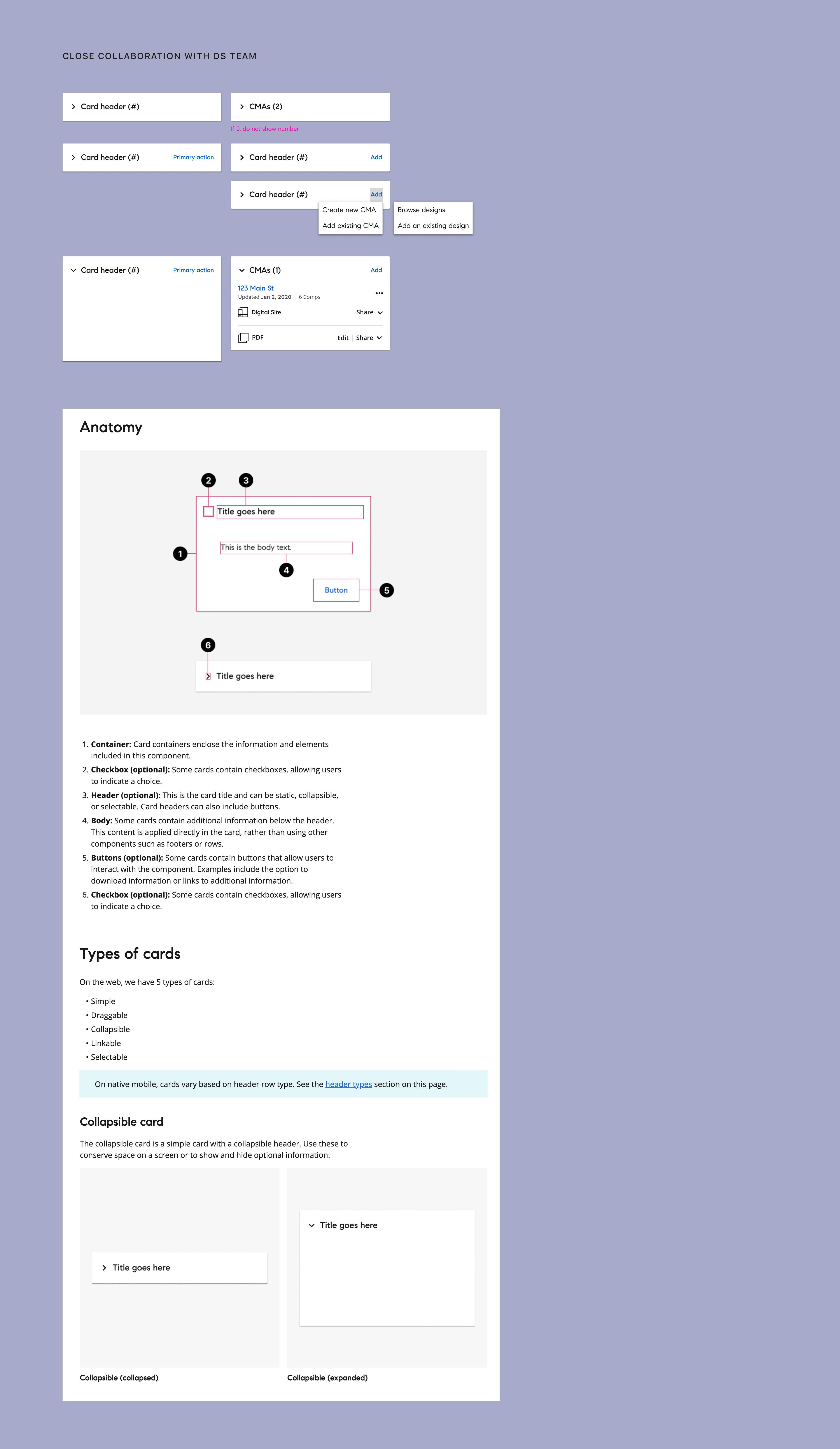
Card component documentation from the design system work, built in close collaboration with the design systems team.
Key Features
Business Tracker organized an agent's entire book of business around a few core patterns:
Pipeline View — a visual overview of buyers and listings by stage
Gave agents a single view of where every deal stood, instead of tracking stage in a spreadsheet.
Client & Listing Folders — every tool unified per client and property
Brought CRM, documents, and communication into one place per relationship, instead of scattered across tools.
Overview Pages
Surfaced the status of a client or listing at a glance.
Auto-fill & Smart Linking
Reduced manual re-entry by connecting related records automatically.
Mobile Parity
Kept the same core workflows usable in the field, not just at a desk.
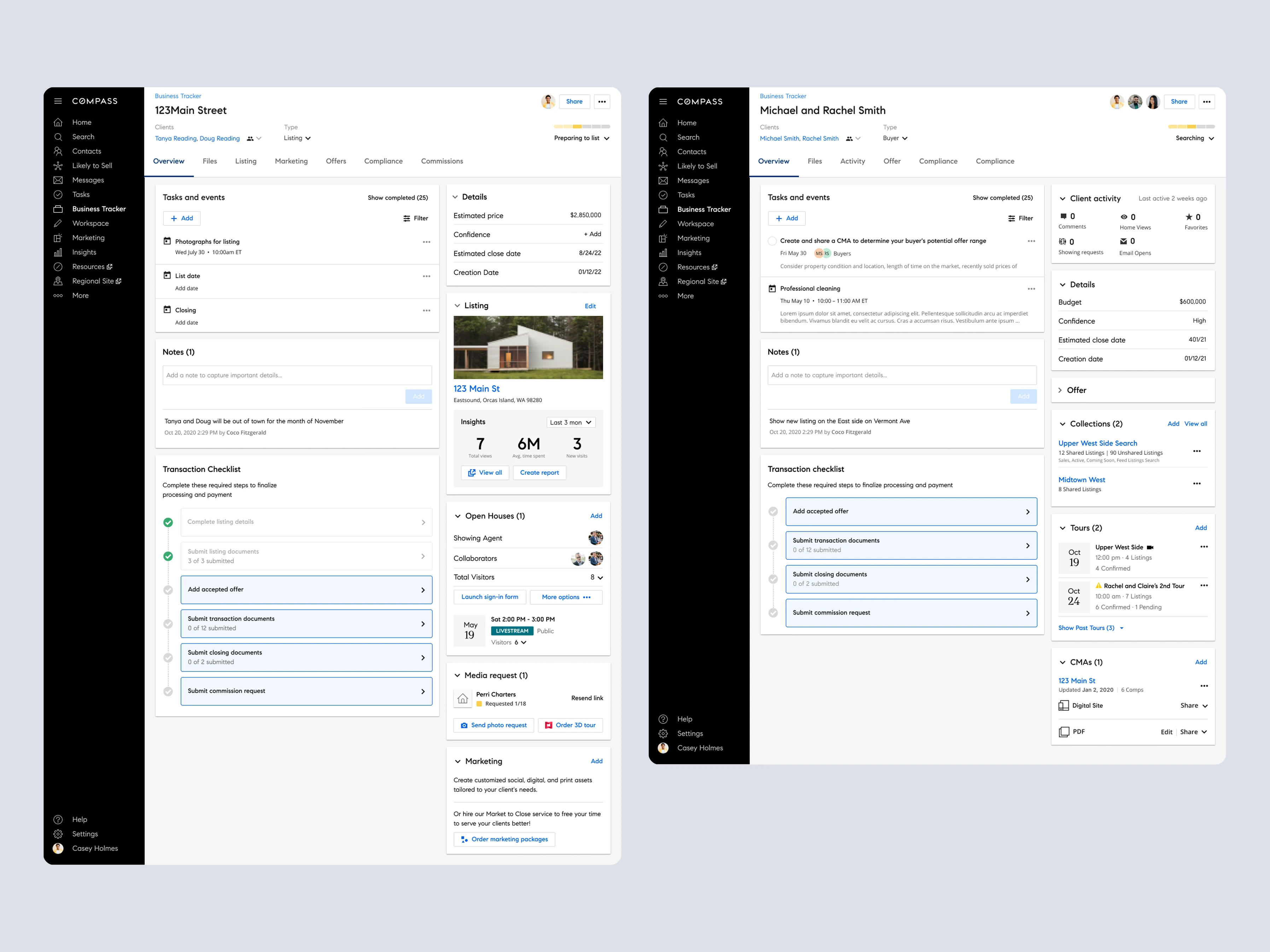
A client folder pulling together tasks, details, transaction checklist, and marketing tools in one place.
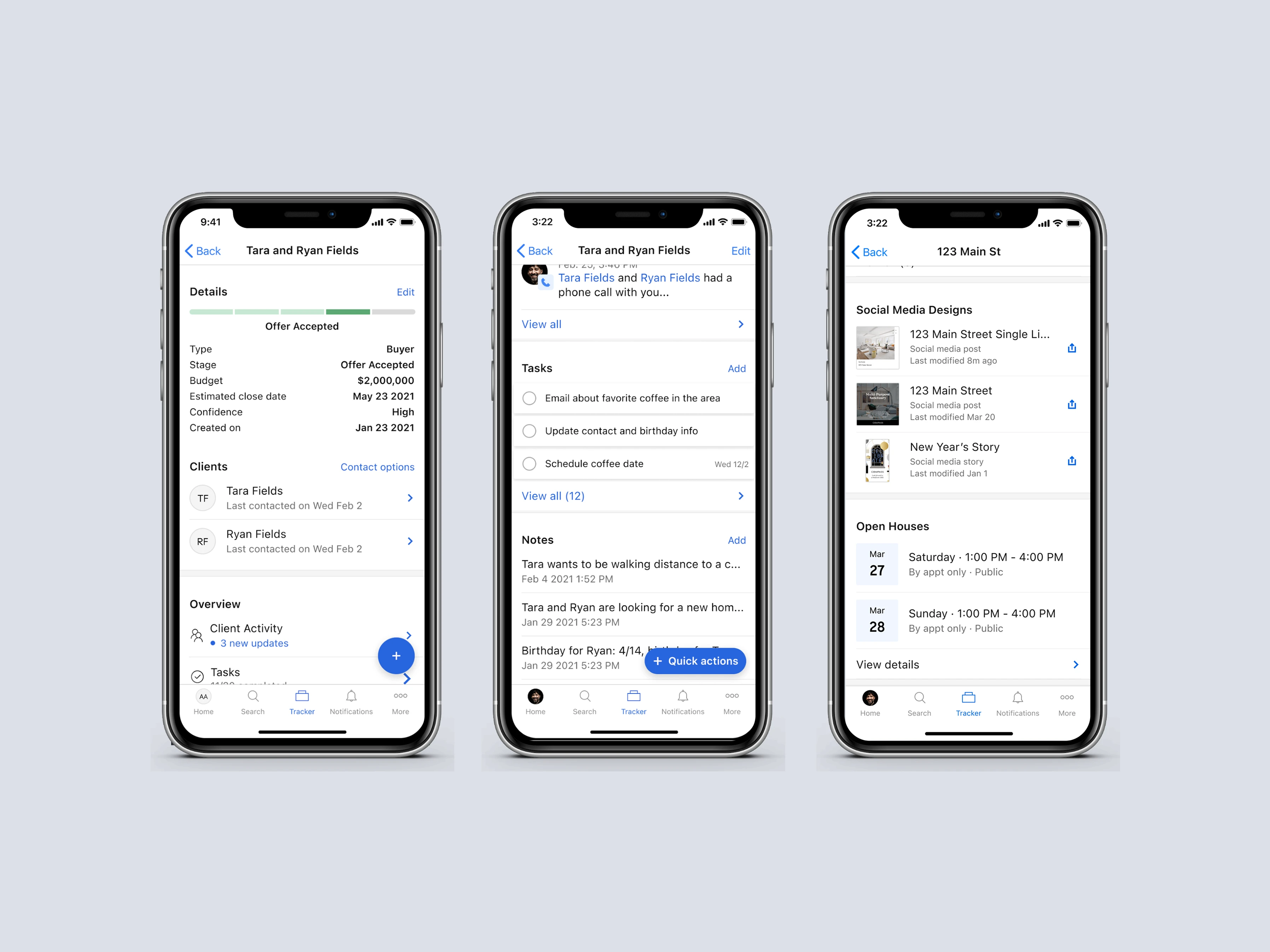
The same core workflows carried over to mobile, for agents managing clients and listings on the go.
How it shipped
The team had about six months to MVP. After initial discovery, research and design ran in parallel with weekly to biweekly feedback sessions, leading into a phased release: a beta with roughly 2,000 agents across different usage cohorts in the fall, followed by a full launch to all agents that January.
Recreated and condensed from an internal project timeline: research and design ran concurrently, with a multi-cohort beta ahead of full rollout.
Outcomes
Business Tracker saw fast adoption after launch and held onto it.
32%
Of agents adopted Business Tracker in the first week
37%
Week-over-week adoption growth, continuing to climb
100%
Year-over-year increase in client folder adoption
4.3/5
Average user satisfaction score (median: 4/5)
"This has the potential to replace the whiteboard and be the new agent homepage."
Compass agent, Beta feedback
"Just wow. It clicked. It helps me see my whole pipeline in one place."
Compass agent, Beta feedback
"Congrats on the launch here. I wouldn't be surprised if Business Tracker becomes the new agent home page and the most used page on Compass over time. Great work."
Robert Reffkin, Compass Founder & CEO
Business Tracker kept growing after MVP: team collaboration and folder sharing in the first half of the following year, then checklists and role permissioning in the second half. Checklists in particular landed well, becoming the #2 most-requested Business Tracker feature with 280+ votes in Compass's feedback forum, and within a month of shipping, 1,577 agents had discovered it and 452 had added a checklist to a folder.
Reflection
The six-month MVP timeline was a real constraint. It left no room for deeper IA exploration or rethinking the integrated product workflows the Folder pulled together, so the team leaned on existing Compass design patterns to hit the release date and pushed those improvements to the backlog instead.
Some open questions carried past launch, framed at the time as how-might-we's the team kept coming back to: how to guide agents to actually engage with Compass's other products and features, how to optimize the view so an agent could get an overview of a buyer or listing at a glance, how the information shown should evolve as a deal moved from nurturing through in-contract to close, how to improve consistency in UI and language across a platform the Folder was now consolidating, and how to help agents actually push a transaction forward rather than just observe it.
A RACI chart brought real clarity once ownership was made explicit across teams, something that would have helped earlier given how much of the friction was about who owned what. Content needed to be checked against how agents actually talk, not just internal product language. Leadership expectations around timelines needed active managing, not just a launch date. Looping in product and engineering earlier reduced rework. And having a single source of truth, like the buy-side and sell-side task maps, shared directly with cross-team partners surfaced collaboration opportunities that wouldn't have come up in a design review.